


Mighty Networks
4.72.86K Reviews
App Specs
- Version
- 8.281.67
- Updated On
- License
- Free
- Downloads
- 1,000,000+
- Developer
- Mighty Networks
- Categories
- Social
- Platform
- Android, iOS
Screenshots
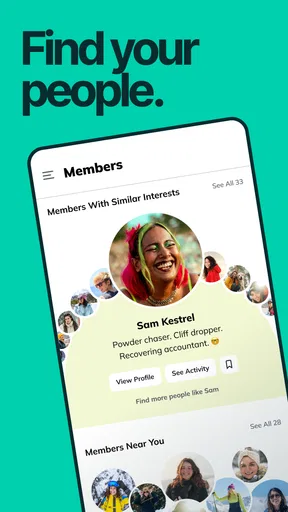
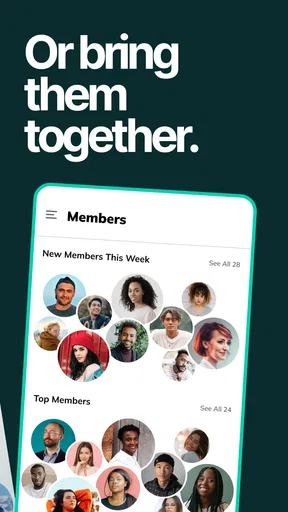
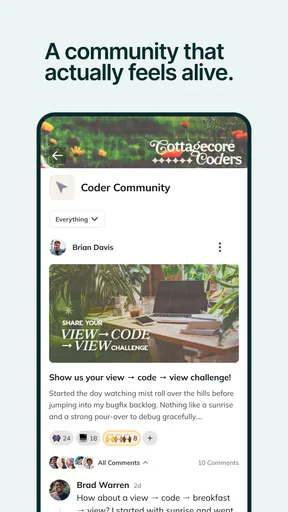
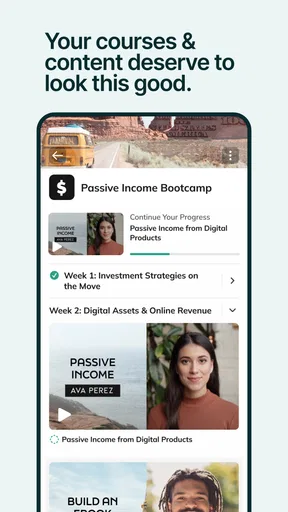
 Analysis by AppCompare
Have you ever felt like your community deserves a space that's a bit more personal than the usual social media conglomerates? I recently stumbled upon Mighty Networks, an app designed to create and manage your own community with flair and ease. Let me take you through my experience with it and why it might just be the perfect fit for your group.
Where the app fits today
As a social app from Mighty Networks, it is built around communities rather than a single stream of posts from friends, celebrities, and brands. That distinction matters: it makes the most sense when a group has a shared purpose and someone willing to give that group a home. The app is free to install, rated for Teen users, and has a 4.7 average from around 20,000 ratings, so there is a sizeable audience behind the idea. Those figures are reassuring, but they cannot tell you whether a particular network is active or well run; that depends on the people who create and join it.
I would consider it for a professional cohort, a hobby group, a local club, or a creator who wants members to gather around more than occasional posts. It is less compelling if all you need is a quick chat with a few friends. A messaging app is usually faster for that, while a broad social network may be better when your goal is public reach. Here, the value comes from making a defined community feel organized and worth returning to.
Choosing a useful setup, not just a pretty one
Before inviting anyone, I would decide what members should do first when they arrive. A welcome message is most useful when it answers practical questions: where introductions belong, how to find the main discussion, and what kind of participation is welcome. Customizing the look can help a network feel recognizable, but a clear first step does more for a newcomer than a carefully chosen color scheme.
It also helps to plan the shape of the community before dividing it into groups. Subgroups can give different interests room to breathe, but too many empty spaces can make a network feel abandoned. I would start with a shared home and add a separate group only when members have a recurring topic that genuinely needs its own place. That small decision can keep discussions easier to find and reduce the feeling that people have to check several rooms just to stay involved.
A realistic use case might be a weekly reading circle. The organizer could post the next selection and a poll about discussion times, then use an event to bring members together. Between meetings, people can continue the conversation in posts or a focused group instead of letting useful comments disappear in a busy general chat. The app’s structure is better suited to that continuing exchange than a one-off group message, especially when members join at different times.
Setting Up Your Own Space
Starting with Mighty Networks is like getting a new canvas to paint your community's identity. The app offers a straightforward setup process, guiding you through creating a network that aligns with your vision. You can customize everything from the color scheme to the welcome message, which is a breath of fresh air compared to more rigid platforms.
Worth Reading Before You Choose

EA SPORTS FC Mobile 26 Is a Bigger Football Game, but It Takes Time

Flipboard Shows What News Apps Must Do Beyond the Feed

Switching to Android Auto Means Rethinking Your Driving Routine

Google Calendar Makes a Crowded Week Easier to Manage

Ludo King Makes the Most of the Minutes Between Plans

Baby Panda World Brings Quick Play to Modern Phones, but Its Game Library Feels Busy
Once you're up and running, adding members is a breeze. You can invite people via email or a shareable link, making it super accessible for your community to join. The app does a great job of balancing simplicity with powerful features, so you never feel overwhelmed.
Engagement Features Galore
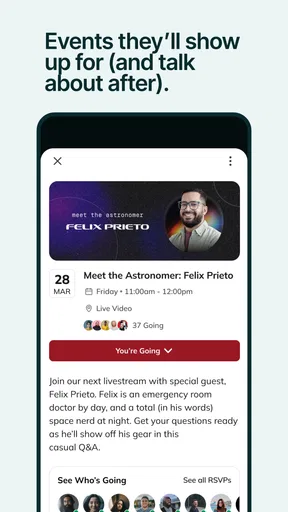
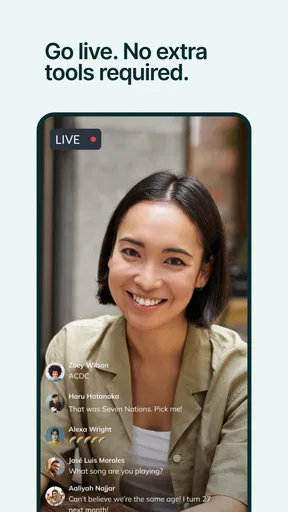
Where Mighty Networks truly shines is in its ability to foster engagement. The app offers a variety of tools to keep your community lively and interactive. You can create posts, polls, and even host events directly in the app. I found the polls feature especially engaging, as it allows for instant feedback and interaction with members.
There’s a useful trade-off in having these activities under one roof: a poll can help shape an event or prompt a quiet member to contribute, but adding more formats does not automatically create meaningful participation. I would use a poll when the answer will influence what happens next, then follow up with a post explaining the decision. That closes the loop and shows members their input had a purpose, rather than making each interaction feel like another notification to clear.
For an organizer, a simple weekly rhythm can be more manageable than trying to post constantly: one discussion prompt, one practical update, and an event when people have a reason to meet. Members can then choose how deeply to participate. If the group is based around a course or shared project, keeping reference posts separate from casual conversation can make the network easier to revisit later.
Groups, messages, and everyday navigation
There's also an option to set up groups within your network. This is perfect for communities with diverse interests, allowing members to dive deeper into topics they care about. The integration of direct messaging and notifications ensures that you and your members stay connected without missing a beat.
That convenience needs a little restraint. If every small exchange becomes a message and every post triggers attention, members may feel pulled in too many directions. I would use group discussions for topics others could learn from, and direct messages for genuinely personal or logistical conversations. Notifications are most helpful when they bring someone back to a conversation they chose to follow; they are less useful if the network’s activity becomes a constant stream of interruptions.
For a member, the practical question is whether the community has a reason to keep using the app. Joining is only the first step: a clear welcome, visible recent activity, and a few useful conversations make it easier to understand where to participate. If you are invited into a network that has little structure or no recent discussion, the app itself cannot supply the missing momentum.
Monetization and Management
For those looking to monetize their community, Mighty Networks offers a suite of options. From setting up paid memberships to offering exclusive content, the app gives you the tools to turn your passion into a sustainable venture. The payment process is smooth and integrates well, making it easy for both you and your members.
Paid access is most appropriate when a community offers a clear ongoing benefit, such as specialized discussion or content members expect to return to. I would explain what people receive before asking them to pay and keep the community’s free and paid boundaries easy to understand. A payment option is a management tool, not a guarantee that people will join or stay; creators still need to make the experience worth maintaining.
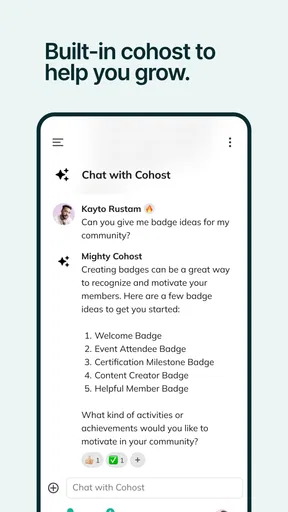
Managing your community is also made simple with analytics and insights. You can track member activity, engagement rates, and more, which helps in tailoring content and strategies that resonate with your audience. These insights provide a deeper understanding of what works and what doesn't, allowing for continuous improvement.
I would treat those signals as clues rather than a verdict. A post with fewer reactions may still be valuable if it answers a recurring question, while a popular poll may not lead to lasting discussion. Looking at activity alongside the actual quality of conversations can help an organizer decide whether to change the schedule, clarify a prompt, or leave a healthy discussion alone. The point is to learn what serves the members, not to chase activity for its own sake.
What has changed, and what that means for returning users
The app has continued through multiple releases: its current version is 8.269.53, and it first appeared on February 19, 2016. That long-running development gives returning users a reason to check their app version and review the interface after an update, rather than assuming every control will remain exactly where they remember it. The version number alone does not tell me which individual features changed, so I would avoid treating it as a promise of a particular new tool.
For existing members, the safest habit is to keep the app current through their device’s normal update process and take a moment to reorient after changes. For community hosts, it is sensible to check the member journey periodically: confirm the welcome information still makes sense, make sure key discussions remain easy to locate, and revisit whether the group structure reflects how people actually use the space. These are useful checks regardless of a release, and they reduce confusion when the app evolves.
The app has passed one million installs, but that scale should not be confused with the size or liveliness of any single network. A large overall audience can make the platform familiar to prospective members; it cannot ensure that your invitees will participate. I would judge a community by its own activity, clarity, and fit rather than by the app’s reach.
A Few Considerations
While Mighty Networks is packed with features, it does come with a learning curve. If you're used to more traditional social media platforms, it might take a bit of time to get accustomed to the layout and functionalities. However, once you get the hang of it, the possibilities are endless.
That learning curve is especially relevant for people who simply want to browse without joining a defined community. The app’s focus is its strength when a network has a purpose, but it can feel like extra setup if your group already works well through a lightweight chat or a familiar public social feed. I would skip it if you do not want another place to check, or if nobody in your group is ready to welcome new members and keep conversations moving.
Another point to note is that the app's free version offers limited features. To unlock its full potential, you might need to opt for a subscription. But if you're serious about building a thriving community, it's a worthwhile investment.
For someone deciding whether to try it, the practical question is not just whether the app costs nothing to install, but whether the community plan depends on features that require a subscription. I would sketch the intended member experience first, then check which capabilities are available for that plan before inviting people or promising a particular setup. This avoids building a workflow around an assumption and gives you a fair way to judge the commitment.
What I would watch as the community grows
As a network gets busier, I would pay attention to whether new members can still find the useful conversations, whether subgroups remain active, and whether notifications help rather than distract. Those are practical signs of a healthy experience that matter more than adding features for their own sake. Hosts should also notice whether the work of welcoming people and keeping discussions going is sustainable; a community that depends on one person answering everything may need a simpler routine.
For a smaller group, a direct messaging app may remain the better choice because it asks less of both members and organizers. For a creator or club that needs posts, polls, events, and separate interest areas in one community space, this app offers a more deliberate alternative to stitching together unrelated tools. The trade-off is that members must adopt another destination and the host must give it ongoing attention.
Final Thoughts
All in all, Mighty Networks is a game-changer for anyone looking to build a community outside the constraints of mainstream platforms. Its customization options, engagement tools, and monetization features make it a compelling choice for community leaders and creators alike.
If you're ready to take your community to the next level, this app provides the perfect platform to do just that. Dive in, explore, and watch your community flourish in ways you never imagined.
Pros
- User-friendly interface for easy navigation.
- Robust community-building features.
- Customizable branding options.
- Integrated monetization tools.
- Cross-platform accessibility.
Cons
- Limited advanced analytics options.
- Notifications can be overwhelming.
- Mobile app lacks some desktop features.
- Higher tiers can be expensive.
- Occasional bugs in app updates.
FAQs for Mighty Networks
What is Mighty Networks and what can it be used for?
Mighty Networks is a platform designed for community building, offering tools to create and manage online groups. It’s ideal for creators, entrepreneurs, and businesses looking to foster engagement, share content, and organize events. Users can create membership sites, host courses, and interact with their audience seamlessly within a single app.
Is Mighty Networks available on both Android and iOS devices?
Yes, Mighty Networks is available for both Android and iOS devices. You can download it from the Google Play Store and the Apple App Store. This cross-platform availability ensures that community members can stay connected and engaged regardless of their preferred mobile device.
How does Mighty Networks support content creators?
Mighty Networks provides robust tools for content creators, including the ability to host live events, publish articles, and offer online courses. Creators can monetize their content through memberships and premium offerings, allowing them to build a sustainable income stream while engaging with their audience directly.
What are some pros and cons of using Mighty Networks?
Pros of Mighty Networks include its comprehensive community-building tools, ease of use, and monetization options. However, some users might find the pricing model challenging, especially if they’re just starting out. Additionally, while feature-rich, the platform may require a learning curve to fully utilize all its capabilities.
Can I customize my community experience on Mighty Networks?
Yes, Mighty Networks offers significant customization options, allowing you to tailor the look and feel of your community. You can personalize branding elements, adjust member permissions, and create unique spaces for different types of content. This flexibility helps in creating a distinctive and engaging community experience.


